
7 Reasons To Be Excited About Squarespace Member Areas

Completely unrelated to this post but we bought a plane! Might have to get my PPL now!
Update August 2026: This is an older post from 2020, and I am happy to say that Member Areas has evolved into an awesome product where they added the ability to not just have member areas, but also paywalled courses and I still host my courses on Squarespace and still love it.
My longtime followers may remember that time in the summer of 2016 when I hacked into someone’s eCourse as part of my research into hosting my first online course on my own Squarespace website. I was determined to do this and found a way to tweak the system to make it work. Since then I’ve launched five more courses, all hosted on Squarespace, and created an amazing business around that.
So you can imagine how thrilled I am that Squarespace has finally launched their own membership product! It’s called Member Areas and I’ve been beta testing it since the beginning of 2020 with one of my courses. Let me tell you, it is pretty awesome!
Here are the things I love most about Member Areas:
1. Easy Content Management
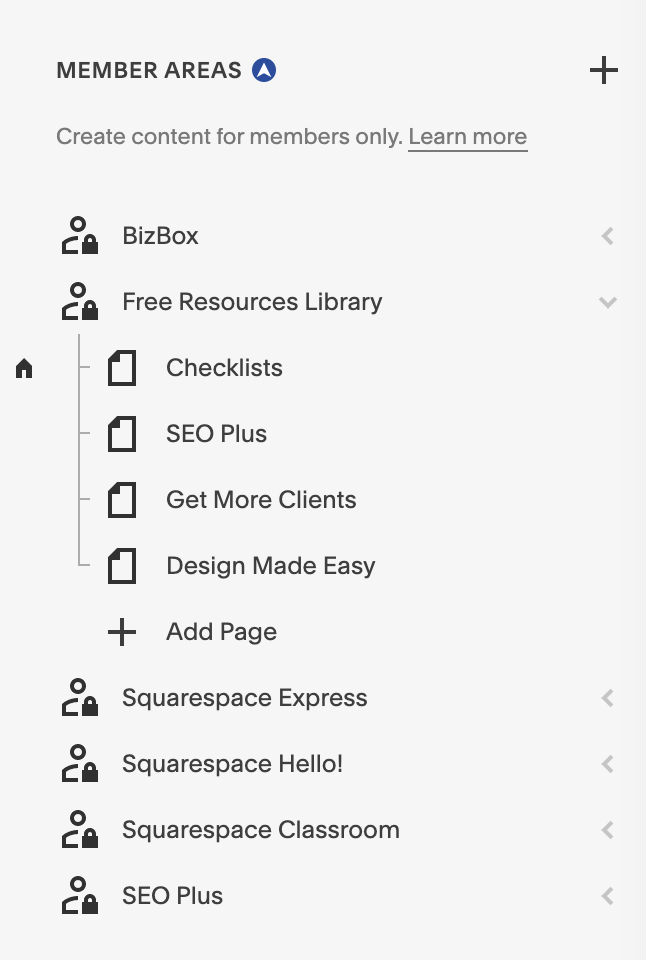
Member Areas are easily created in the Pages section and they work just like a folder. What I especially love about this is that you can add different page types to your member area:
Blank pages
Predefined page layout
Collections:
Blog
Store
Events
Portfolio
Links
This is one of the main advantages of using Squarespace because you can include things like blogs and products inside your member area and it's all seamlessly connected with your website.
2. Flexible Fee Structure
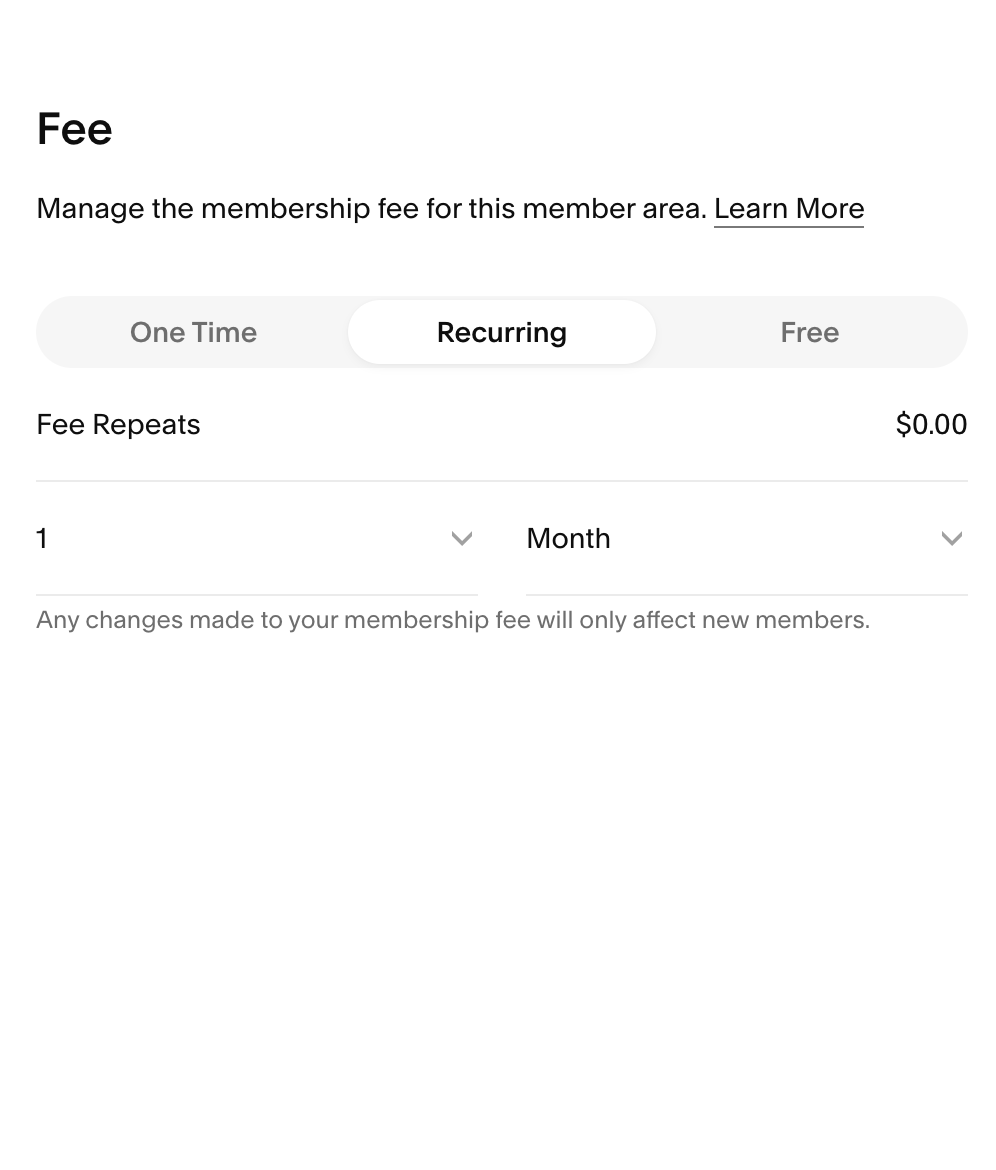
Each member area has its own settings where you set the name and provide a description and add your fee which can be:
One-time
Recurring
Free
This means you can have subscriptions!
3. Intuitive Navigation
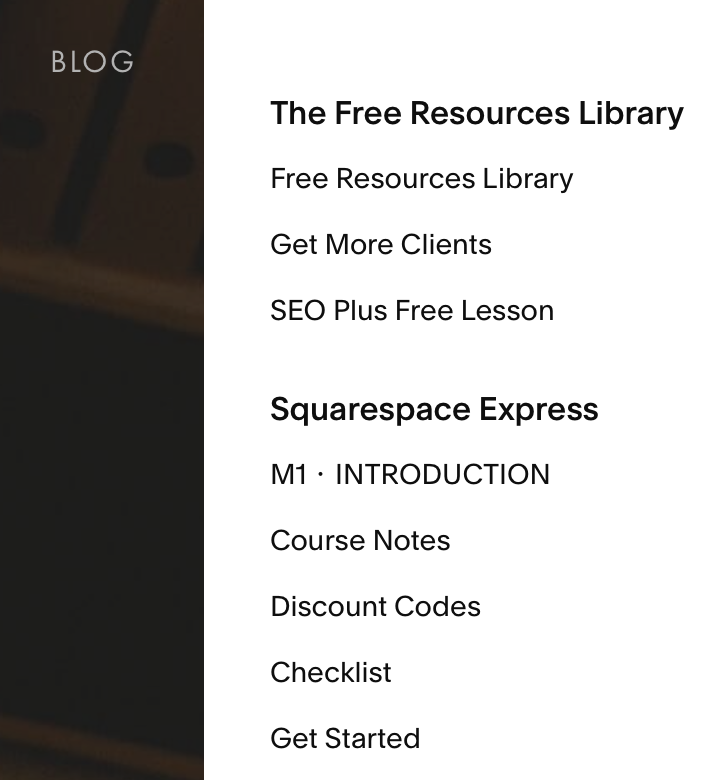
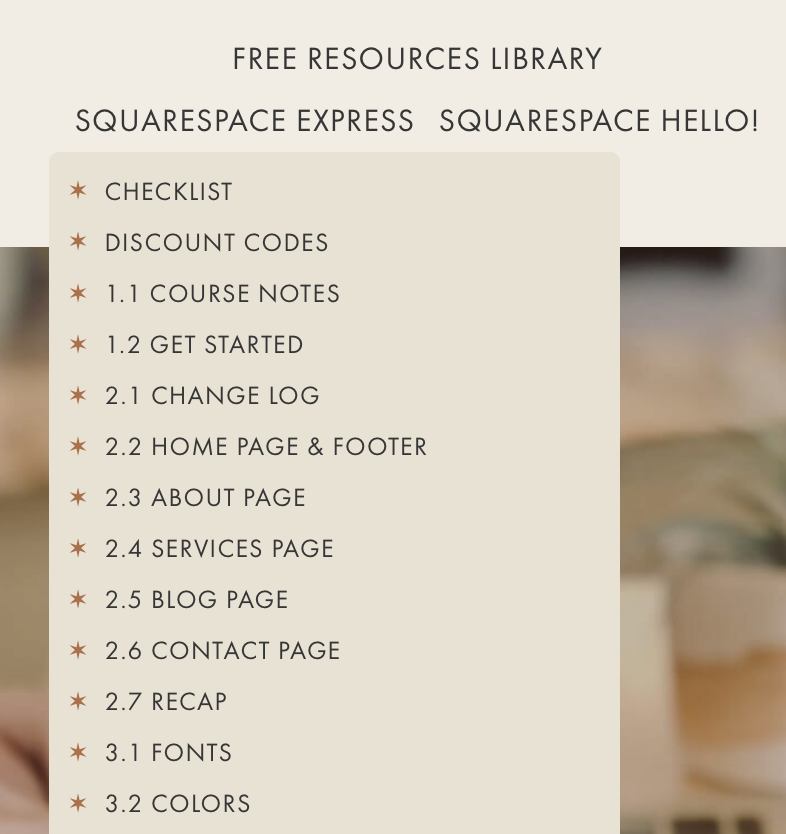
Member Areas comes with two navigation options depending on which version of Squarespace you are using.
In version 7.0 customers see an overlay to the right when they log in or click on “Account” after they’ve logged in. This overlay shows a list of all lessons for each of the Member Areas a customer has subscribed to.
In version 7.1 the main navigation is replaced with a Member Area navigation once a customer has logged in. The customer simply hovers over the Member Area to see the content. I love this so much! Customers can very easily navigate between their Member Areas if they have more than one. And I can use CSS to style the navigation as well.
In both cases these navigation display options can be turned off if you don’t want them.
4. Seamless Integration With Squarespace Profiles And Campaigns
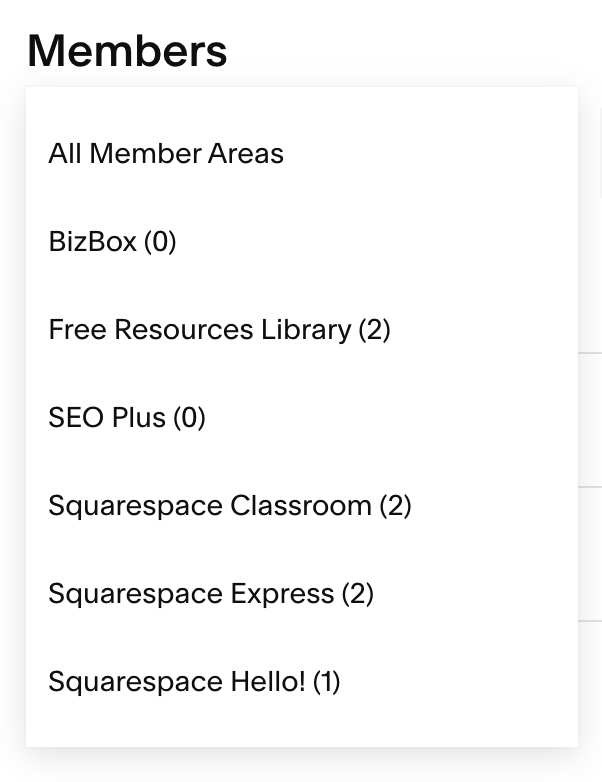
Profiles:
Campaigns:
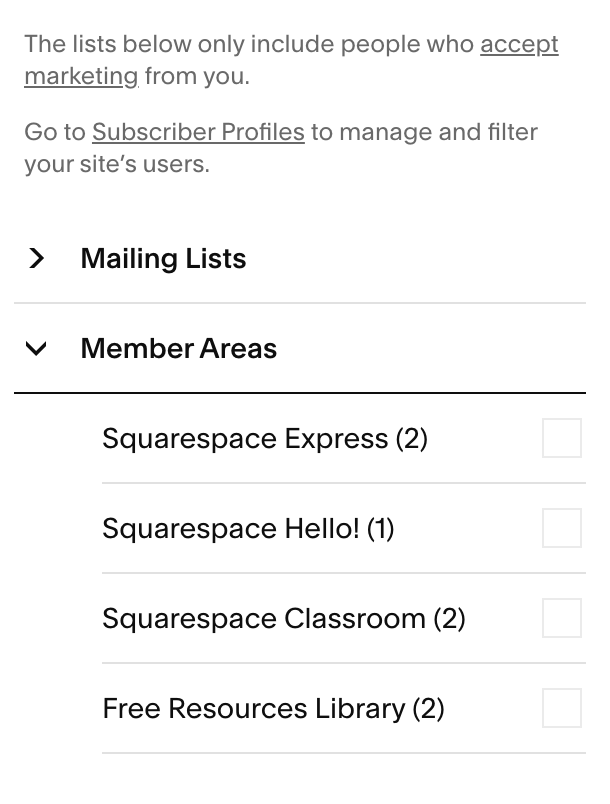
Oh my, I love this so much! I finally have an easy way to communicate with all my students for each of my courses!
In Profiles I can (manually) add tags to each student profile and also use filters and then create a campaign from the results.
If I just want to email all my students in any of my courses without filtering (that’s usually what I do) then I go straight to Campaigns where I have easy access to all my Member Area mailing lists.
Paying customers are currently automatically subscriped to their respective Member Area list but they can unsubscribe from your communications at any time via the link in the footer of your emails. Squarespace did consult their legal team and this is deemed GDPR compliant because the list relates solely to a product that was purchased.
Customers who sign up for free Member Areas will receive a double opt-in email asking them to confirm their subscription to the Member Area list.
5. Customized Notifications
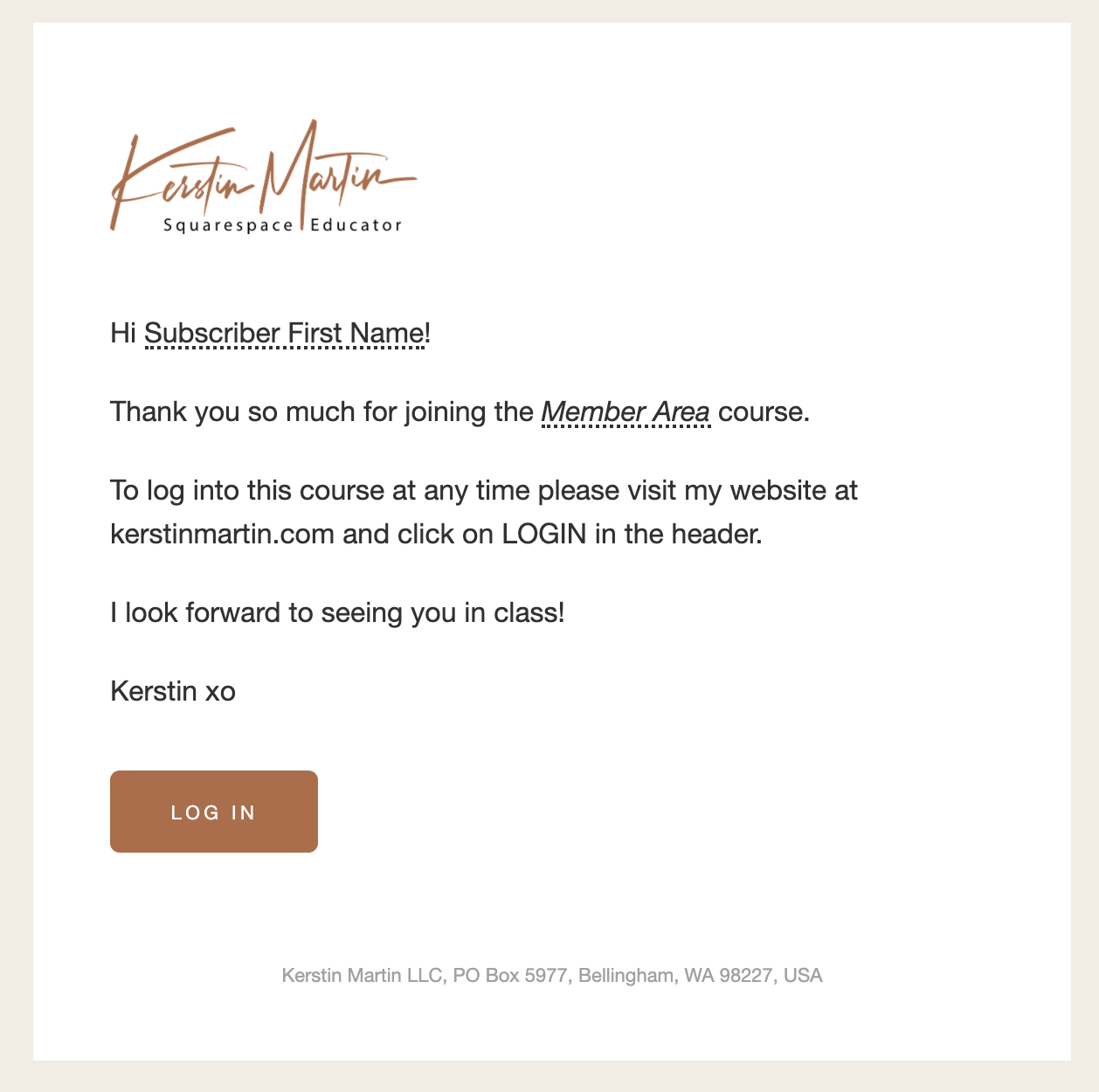
The new customizable commerce notifications are awesome! There is a notification specifically for Member Area purchases and you can style and customize it as desired.
6. Content Styling Options
I’ve been hosting my eCourses on Squarespace since 2015, using the page password as well as MemberSpace. One of the things I most love about it is that I can take full advantage of all of Squarespace’s styling options to create an attractive and well organized classroom.
Even though teaching platforms have come a long way and look a lot better these days, their styling options are still pretty limited. You just can’t get the same elegance and advanced design that you can get in Squarespace.
Needless to say, I especially love the styling options in 7.1! As of writing this I am still in the middle of my redesign and I am having so much fun putting together my lessons in 7.1.
7. It’s Secure
Security has always been an issue with 3rd party paywall providers and Squarespace. While companies like MemberSpace have come a long way in putting up pretty watertight barriers I feel very good about knowing that with Member Areas my content is 100% safe.

Is Member Areas right for you?
Like with most things in life, Member Areas will not be for everyone, and I recommend being very clear on what is important to you and your online business. For instance, if you are looking for learning tools – such as lesson tracking, completion certificates, or built-in affiliate marketing – then you’d be better off with one of the Learning Management Systems (LMS) like Teachable or Podia.
In my case, I don’t need these tools. I provide, for example, a good old-fashioned checklist for lesson tracking and my students love it! I have always been very clear about what was important for me as an online educator:
An enjoyable and user-friendly experience for my students.
Keeping my content safe and on my own website.
Manage my content seamlessly with the rest of my website.
Design and brand consistency.
Intuitive and attractive styling options.
Squarespace has always met all of these requirements, and after five years, that has not changed. And judging from the feedback I get from my students, they really like it as well.

Conclusion
Needless to say, I am so so happy about Member Areas! I love hosting my courses on Squarespace so much that I am willing to live with some of the limitations on my wish list. This is just the beginning, and I know that things will only get better from here. I think Squarespace has entered an exciting phase by offering a whole suite of products that make managing our online businesses easier and more seamless. Which is especially wonderful for us solo entrepreneurs!
Mostly, I love the ease and simplicity of having all my business functions under one roof, and the ability to organize and style my courses on my own Squarespace website.