
This article contains affiliate links marked with an asterisk*. I get a small commission if you make a purchase through my link, at no extra cost to you. Thank you!
Please note that I am not a legal professional, and this article does not constitute legal advice.
Are you sure that your cookie consent banner is GDPR compliant?
This question sent me down a rabbit hole the other day after I came across an article about the CIPA law. CIPA is an old California privacy law that is being reinterpreted and used to sue small businesses that are not compliant. It made me re-evaluate my consent management strategy, including GDPR, which is still the crown jewel of all privacy laws.
The cookie banner, or cookie consent tool, plays an important role when it comes to consent management.
You see, last year, I had actually turned off my cookie banner. I thought I didn’t need it because I use Fathom Analytics* instead of Google Analytics, and thus, don’t collect any personal data other than when you subscribe to a mailing list or purchase something from my website, both of which are done with user consent. I loved not having a cookie banner because, as a designer, I am not a fan of mandatory pop-ups that add an extra barrier to my site visitors’ engagement with my content.
Well, I was wrong.
I learned that even without Google Analytics, my website still collects personal information because of the following third-party technologies that track user data, like IP addresses, whenever my website contacts their servers:
Google Fonts
Adobe Fonts
Google reCAPTCHA
ShareThis share buttons
Embedded YouTube and Vimeo videos
Google Fonts, for instance, are not GDPR compliant, and it is recommended that they be hosted locally. The only way to do this with Squarespace, my website provider, is by using custom code. I did consider it, but honestly, apart from the extra work, that still doesn’t address the other third parties who also track data.
I honestly don’t know how the average small business owner is supposed to keep up with all of this! Data privacy is important, no doubt about that. However, I think privacy laws like the GDPR are too complex and over the top. They are hard to keep up with, and the situation is not made easier by the tech companies whose software we rely on and who gobble up data left, right, and center. But that’s a topic for another day!
When I started looking into this, I was struck by how many entrepreneur websites are not GDPR compliant! Take Marie Forleo or Jenna Kutcher, two prominent online business educators who track all kinds of analytics and marketing data via their websites. Neither of them has a cookie consent banner. Marie has links to her cookie policy and cookie settings in her footer, while Jenna only has a tiny link called ‘legal.’ I was really surprised that influencers like these two are so slack with their compliance.
The gist of consent is that it has to be informed, unambiguous, precise, and freely given. Even if you have a cookie consent banner, you may still not be compliant.
Here are the seven most common cookie banner mistakes:
Not having a cookie banner at all!
Not giving a Yes/No choice. Only having an Accept button or, worse, just an X to close the pop-up does not constitute explicit consent. One popular sentence I’ve seen: “We use cookies to ensure you receive the best experience on our site. If you continue to use this site, we will assume that you agree with our terms.” An assumption is NOT explicit consent.
Tricking users into clicking the Accept button by using colors, such as green for Accept and red or grey for Decline.
Not linking to your privacy policy in the cookie notice.
Not linking to a list of third-party vendors with whom you share data.
Not giving access to cookie settings where users can change their consent preferences.
Pre-ticked choices for the types of cookies collected. There are three types of cookies: essential, functional, and marketing. Essential cookies are needed for the proper working of the website and cannot be turned off. Functional and marketing cookies are optional and should not be pre-ticked.
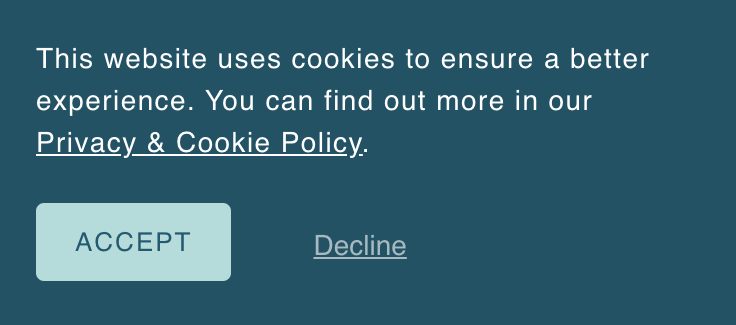
Example of what not to do: manipulating your audience into clicking the Accept button by highlighting it with a friendly color and making the Decline button smaller and less noticeable.
Between having up-to-date policies and a compliant cookie consent banner, getting it right can feel pretty daunting!
This is where I am grateful for Termageddon*, my favorite privacy policy generator. They not only keep us in the loop and update our policies automatically, but they also offer a cookie consent tool via Usercentrics, which is included with the Termageddon fee. That’s an awesome deal! Because people often ask me about my setup, I thought I’d share it here.
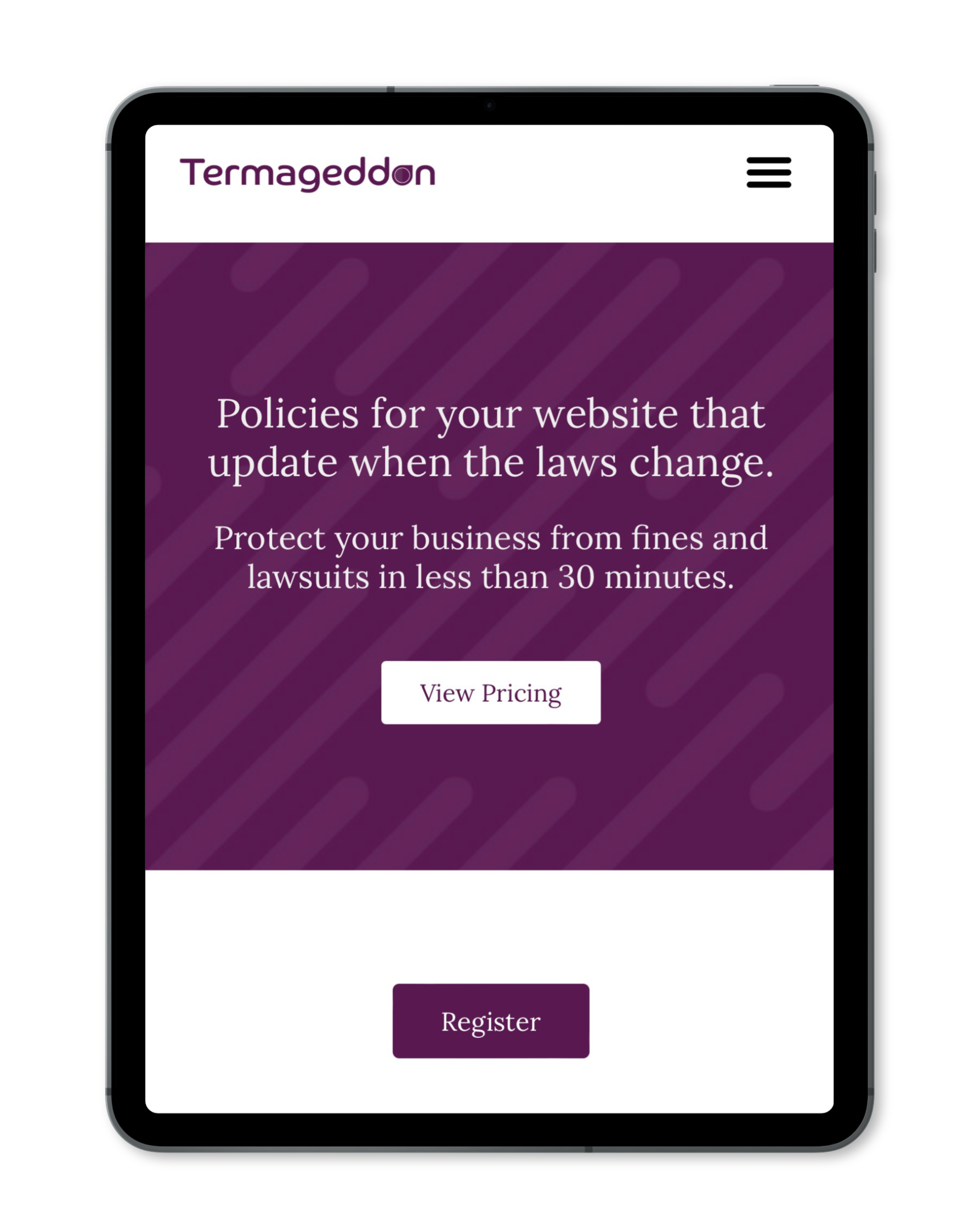
Protect your business from fines and lawsuits in less than 30 minutes with Termageddon.
Do you collect email addresses, sell products, or link to other websites? If you do then you’ll need a privacy and cookie policy. Termageddon makes it easy:
Insert a simple piece of code on your website, and they will auto generate up-to-date policies for you.
Includes free Usercentrics Cookie Consent Tool!
How to make your cookie banner compliant in five steps:
Make sure you have a solid and regularly updated privacy and cookie policy
As mentioned above, I use Termageddon*, a privacy policy generator run by one of the top privacy lawyers in the US. Their customer service is outstanding and they help you with your setup for free, if needed. Their pricing is also very reasonable at just $12 per month or $119 per year. Well worth the legal peace of mind. ☞ Save 10% with my affiliate link
Choose a compliant cookie consent tool
Most websites have a built-in cookie banner. Squarespace does, and it’s not bad; you can, for instance, add Decline/Accept buttons. However, as of writing this, their cookie banner only works with three 3rd party providers that also track data: Google Analytics, Meta Pixel, and YouTube videos. Squarespace does not take care of all third-party technologies that use personal data from my site visitors, like the share buttons on my blog. So, I was very happy that my Termageddon subscription includes a free Usercentrics cookie consent tool (for up to 50,000 monthly sessions). Unlike the Squarespace cookie banner, this tool allows me to do everything in this list.
Add an easy-to-see link to your privacy policy.
Give users the choice of accepting or declining cookies.
Link to the cookie settings where users can see all third-party technologies and change their consent choices. This is actually very cool in the Usercentrics tool! If you decline all cookies then the third-party scripts that collect the data are not loaded. For instance, scroll to the bottom of this post. Do you see share buttons, or do you see a small graphic that says “ShareThis Widget?” If you see the latter, that means you have declined marketing cookies, so the ShareThis buttons (the only provider I use that has marketing cookies) are disabled. If you click on the widget button, it opens up the cookie settings where you can accept this cookie, and then you’ll see the share buttons.
A few final thoughts…
I want to conclude this little excursion into the world of privacy laws and cookie consent tools with a few words about handling the more complex aspects of running our own businesses.
Because I don’t know about you, but I can definitely feel a lot of resistance when I dive into topics such as this one. Simply because it is not an area of expertise for me, yet I have to address it because, as a solopreneur, there is no one else in my company who will. And these things never come at a good time, either; there is always something else that I’d rather do.
I used to be a master procrastinator when it came to important business matters that I didn’t want to deal with. I have learned that to run a successful business, I need to take them seriously and do the work. If this means other things get delayed by a day because that’s how long I spent in this particular rabbit hole, then I am okay with that.
Our digital world changes fast, all the time. But the more we learn about the various aspects of running our online businesses, the easier it becomes. You’ll appreciate the personal growth and peace of mind that comes from knowing you are taking good care of your business.